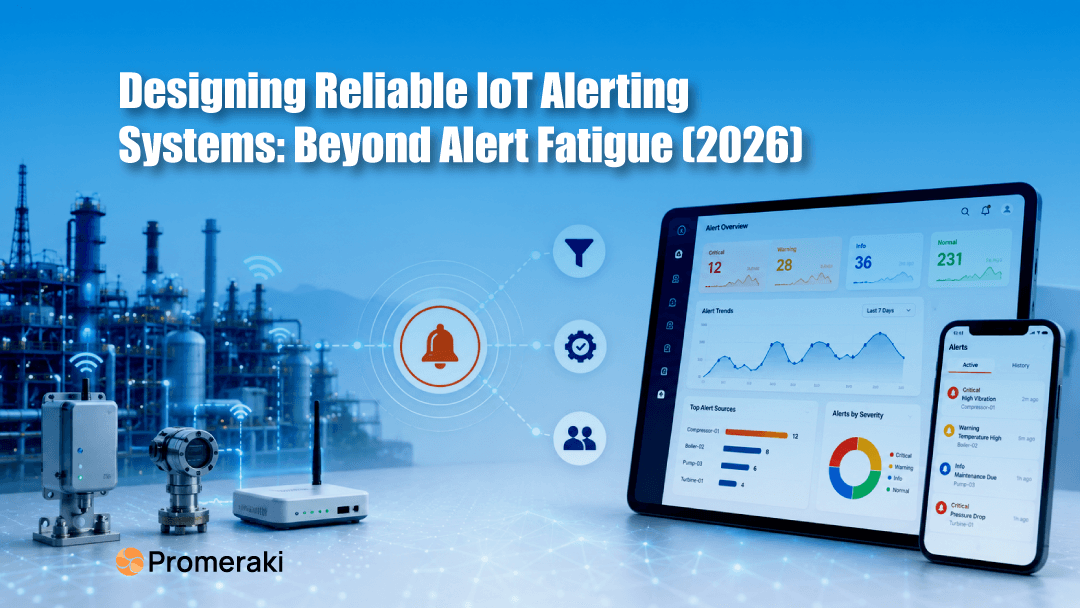
It is 2 a.m., and the phone buzzes. The on-call engineer squints at it, half-asleep, recognizes the familiar shape of yet another alert, and swipes it away. They've seen dozens like it this week, and everyone turned out to be nothing. Except for this time, it wasn't.
That's the quiet failure hiding inside a lot of IoT setups. The devices are connected, the data is flowing, and the alerts are firing, and somewhere along the way, the team stopped believing them.
This isn't a problem you fix by sending more alerts. It's a design problem. A reliable IoT alerting system isn't the one that shouts the loudest or the most often; it's the one your team trusts enough to act on at 2 a.m.
This guide is about how to build that kind of trust into your alerts: the rules, the routing, and the small design choices that decide whether an alert gets acted on or ignored.
What makes an IoT alerting system reliable?
A reliable IoT alerting system does one thing well: it earns trust. When it goes off, people believe it. When it's quiet, people relax. That trust is the whole product; everything else is in service of it.
And trust is fragile. It takes just a handful of "why did this even alert me?" moments before a team starts ignoring a channel. Once that happens, it doesn't matter how clever your detection is or how fast your notifications travel. An alert that nobody trusts is an alert that nobody acts on.
Think of it like a smoke alarm. You don't want it screaming every time you make toast. You want it silent through everyday life, and unmistakable now there's real danger. Good IoT alerting works exactly the same way, and this whole guide is really about how to keep your alarm from going off over toast.
The Gist
- Sending more IoT alerts doesn't mean more safety. Reliable alerting means fewer, trusted signals your team acts on instead of learning to ignore
The real enemy: alert fatigue
Almost every unreliable alerting system fails for the same reason, and it starts with good intentions.
A team sets up alerts for everything, just to be safe. Every spike, every dip, every minor wobble sends a message. It feels responsible that you're watching it all. But within weeks, the messages pile up, and nearly all of them turn out to be noise. So, people adapt the only way they can: they stop paying attention. They mute to the channel. They skim past. They assume the next one is nothing too.
This is alert fatigue, and it's the single biggest killer of alerting systems. The cruel part is how it hides real failure. A system crying wolf fifty times a day has no way left to shout when the wolf actually arrives at the one alert that mattered looks exactly like the fifty that didn't.
The cost lands later, and it's rarely small: unplanned downtime, a damaged machine, a customer who noticed the problem before you did, or an emergency repair that costs many times what a planned one would have. The warning was there. It just drowned.
Everything that follows in this guide is, in one way or another, a defense against alert fatigue.
Threshold alerts vs. anomaly detection
The first design choice is how an alert decides something is wrong. There are two main approaches, and the difference shapes everything downstream.
Threshold alerts are fixed rules you set in advance: “Tell me if the temperature goes above 80°C." They're quick to set up, easy to reason about, and exactly right for hard limits that must never be crossed. Their weakness is that they're blunt. A reading of 79°C stays silent, even if it's been climbing all week toward the edge.
Anomaly detection watches for change instead of a number. It learns what "normal" looks like for a device and flags when behavior drifts from that pattern. The slow, week-long climb to a threshold misses? Anomaly detection catches it while there's still time to act.
Here's how they compare:
| Feature | Threshold Alerts | Anomaly Detection |
|---|---|---|
| How it works | Fires when a value crosses a fixed limit you set | Learns normal behaviour and flags unusual patterns |
| Best for | Clear, hard limits (temperature, pressure, voltage) | Slow, building problems with no fixed cut-off |
| Setup | Quick and simple | Needs some history to learn what's "normal" |
| Strength | Dependable for must-not-cross limits | Catches subtle issues early |
| Blind spot | Misses gradual trends below the limit | Needs tuning to avoid false flags at first |
The choice isn't either/or. Strong systems use thresholds for the hard limits and anomaly detection for the subtle patterns, but the real skill is in tuning both so they fire on what matters and stay quiet on what doesn't. Which brings us to the craft.
The craft of an alert people trust
Once you've decided how an alert triggers, the harder work is shaping the alert itself. This is where reliable systems are won or lost, and it comes down to a few design habits.
- Kill the duplicates
If one failing device fires the same alert ten times a minute, that's one problem, not ten messages. Group-related alerts and collapse repeats into a single notification. Deduplication alone prevents more fatigue than any other single fix.
- Write alerts a tired person can act on
An alert that only says "error on device 47" forces someone to go digging before they can even understand it. A good alert carries its own context: what's wrong, where, how serious, and the obvious next step. The test is simple could someone act on it correctly at 2 a.m. without opening anything else?
- Route it to the person who can fix it
An alert that lands with someone who can't act on it is just noise with a delay. A firmware's fault should reach engineering; a field failure should reach the on-site crew. Matching each alert type to the right owner is half of what makes a system feel responsive.
- Build an escalation path
People sleep, travel, and step away. If the first person doesn't acknowledge an alert within a set time, it should climb automatically to someone who will. Escalation is your safety net against the thing you can't design away a human simply missing it.
- Tune your alerts on schedule
This is the habit almost everyone skips. Your devices, usage, and environment all shift over time, and a rule that made sense at launch can be crying wolf a year later. Reviewing and retiring stale alerts is ongoing maintenance, not a one-time setup, and it's what keeps a trusted system trusted.
Get these right and your alerts stop being background clutter. They become signals few, clear, and believed.
Conclusion
It's tempting to think more alerts mean more safety. In practice, the opposite holds. The systems that actually protect a team are the ones that stay quiet until it matters, then speak once, clearly, and point straight at the fix.
So the goal was never a louder IoT alerting system; it's a trusted one. Every alert means something. It reaches the right person. It carries what they need to act. Build that, and your team stops swiping notifications away at 2 a.m. and starts believing them again. That belief is the whole point: it's what stands between a small warning and an expensive surprise.
Ready to get started?
Promeraki builds IoT platforms with alerting so your team can trust the right alert to the right person with a clear path to action. Less noise, fewer missed problems, and more uptime.
Want alerts your team relies on instead of ignores? Let's talk.