By 2030, the world will have more than 29 billion connected IoT devices, according to industry forecasts.
That means billions of sensors, machines, and products all sending data, all needing to stay secure, all running at the same time.
Managing that kind of scale from scratch is hard. You need secure connectivity, reliable message delivery, device authentication, and a system that holds up as your fleet grows.
That is exactly what AWS IoT Core handles.
It is Amazon's fully managed IoT connectivity service. It takes care of everything between your devices and the cloud, including authentication, message routing, device state, and fleet management.
Your team builds the product. AWS IoT Core keeps the infrastructure running.
In this guide, you will learn what AWS IoT Core is, how it works, its key features, real-world use cases, a hands-on tutorial, and how pricing works.
In a Nutshell
- AWS IoT Core is a managed cloud service by Amazon Web Services. It lets IoT devices connect, communicate, and send data to the cloud securely without managing any servers.
What is AWS IoT Core?
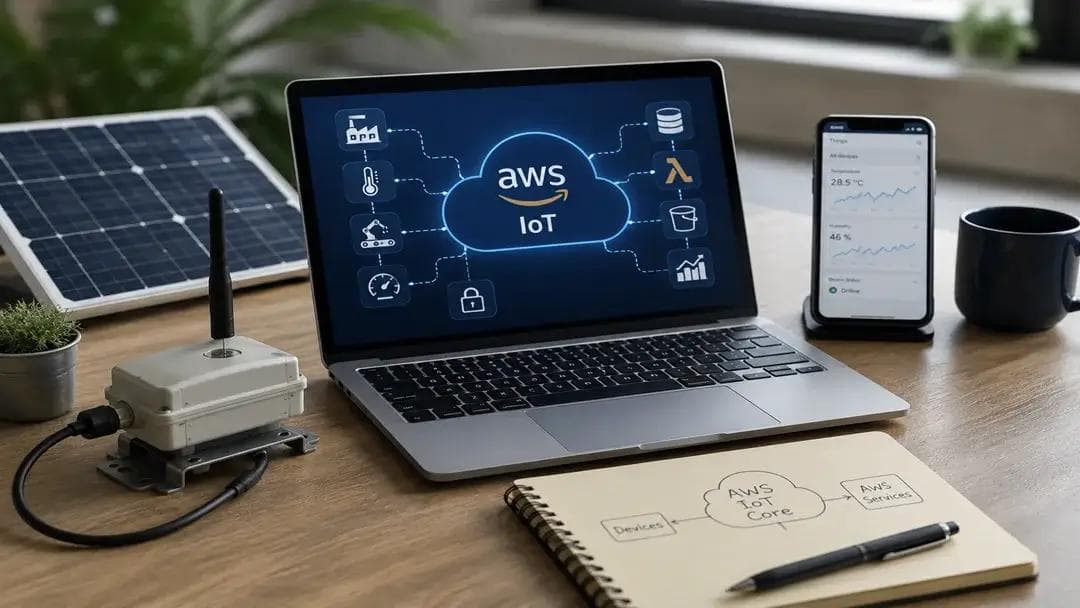
AWS IoT Core is a managed cloud service built by Amazon Web Services.
It lets connected devices send and receive data securely without server setup or custom connectivity infrastructure on your side.
Once a device connects, AWS IoT Core takes over. It receives the device's data and routes it automatically to the right AWS service DynamoDB, Lambda, Amazon S3, and more. No extra configuration is needed.
One thing worth clarifying early: AWS IoT Core is not the same as the full AWS IoT suite.
Amazon offers several IoT services. Each one does something different:
- AWS IoT Core - handles device connectivity and message routing
- AWS IoT Greengrass - runs local compute directly on the device
- AWS IoTSiteWise - collects and analyzes industrial equipment data
- AWS IoT Device Management - manages device fleets at scale
AWS IoT Core is the foundation. Most IoT solutions built on AWS start here, then add other services based on the specific use case.
How AWS IoT Core Works
Core Architecture
AWS IoT Core follows a simple four-stage flow:
Device → Message Broker → Rules Engine → AWS Services
Your device sends data. AWS IoT Core receives it, processes it, and routes it where it needs to go.
That same flow works whether you have 10 devices in a lab or 10 million deployed across multiple countries.
Here is what each stage looks like in practice:
- A device sensor, machine, or gateway connects using MQTT, HTTP, or WebSocket.
- The message broker receives incoming data.
- The Rules Engine evaluates the data and triggers the right action.
- Data moves to the target AWS service, a database, a Lambda function, or a notification system.
Key Components
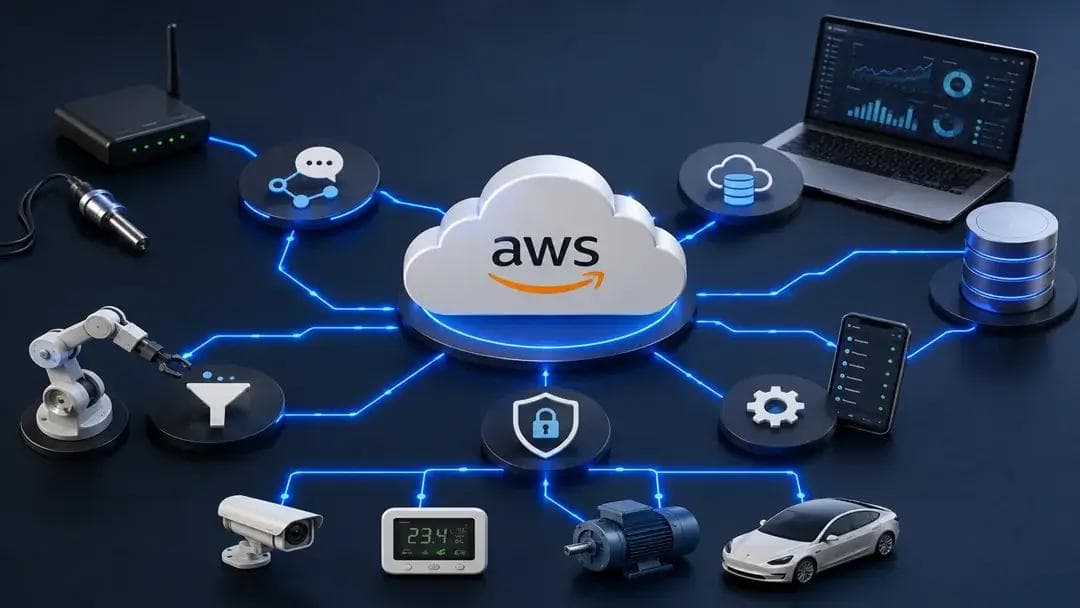
Message Broker
Handles all communication between devices and the cloud. Devices publish messages to topics. The broker receives them and routes them to the right destination. It supports MQTT, HTTP, and WebSocket.
Device Shadow
A virtual copy of your device, stored in the cloud. If your device goes offline, its last known state stays saved. The moment it reconnects, everything syncs automatically. No manual retry logic is needed.
Rules Engine
Listens to incoming messages and decides what to do with them. You write simple SQL-like rules to filter, transform, and route data to other AWS services. The logic lives in the cloud, keeping your device firmware light and your system flexible.
Device Management
Let's you manage your entire device fleet from one place. Push firmware updates, organize devices into groups, and run jobs across the fleet, all without physical access to individual devices.
Security Layer
Every device gets its own X.509 certificate and its own access identity. If one device is compromised, you will revoke its certificate. The rest of the fleet keeps running without any disruption.
AWS IoT Core Features
Here is a snapshot of what AWS IoT Core delivers:
| Message Broker | Handles MQTT, HTTP, and WebSocket communication |
|---|---|
| Device Shadow | Maintains virtual device state when offline |
| Rules Engine | Routes data to DynamoDB, Lambda, S3, SNS |
| Device Management | OTA updates, fleet indexing, job scheduling |
| Security | Per-device X.509 certificates, IAM policies |
| IoT Events | Detects and responds to device state changes |
Secure Device Connectivity
AWS IoT Core supports MQTT, HTTP, and WebSocket, covering the majority of IoT deployment scenarios.
MQTT is the most popular choice. It is lightweight and performs well on low-power devices with limited bandwidth.
Every connection runs over TLS for encryption. Your data is protected from device to cloud, with no additional configuration required.
Device Shadow
Device Shadow keeps a live copy of each device's state in the cloud.
Send a configuration update to an offline sensor. The sensor receives it the moment it comes back online automatically, with no custom retry logic and no manual follow-up.
For teams managing remote or intermittently connected devices, this removes a significant engineering headache.
Rules Engine
This is where AWS IoT Core becomes genuinely powerful.
Write a simple SQL rule: if the temperature crosses 80°C, trigger a Lambda function and send an SNS alert. That logic runs in the clouds. Your device just sends data. Everything else happens automatically upstream.
You can route messages to multiple services at once. The Rules Engine handles all of it without touching your device firmware.
Device Management & OTA Updates
Managing hundreds of devices across multiple locations is one of the hardest parts of any IoT deployment.
AWS IoT Core makes it manageable. Push firmware updates remotely. Track device health. Organize devices into logical groups. Run scheduled jobs across the entire fleet.
No site visits. No manual updates. For industrial or agricultural deployments spread across many locations, OTA capability alone justifies the platform.
Security and Authentication
Every device in AWS IoT Core gets its own X.509 certificate and its own IAM policy.
That policy defines exactly what the device can do, which topics it can publish to, and what it can subscribe to, nothing beyond that.
If a device is compromised, revoke its certificate. The rest of the fleet keeps running without any disruption.
IoT Events
AWS IoT Events watches your device data streams and looks for specific conditions.
If a machine vibration shifts outside the normal range or a sensor reading stays abnormal for too long, IoT Events fires the right response; an alert, a maintenance work order, or an automated shutdown.
It works alongside the Rules Engine to build smarter, event-driven systems without writing custom detection code.
AWS IoT Core Use Cases
AWS IoT Core supports a wide range of industries. Here are five use cases where it delivers clear, measurable value.
Industrial Equipment Monitoring
Factories cannot afford unexpected downtime.
AWS IoT Core connects sensors on motors, compressors, conveyors, and other critical equipment. Real-time performance data flows into cloud dashboards that engineering teams can monitor continuously.
The moment a reading shifts or output drops, the team sees it. No physical walkthrough needed. Every asset is visible in one place, all the time.
Predictive Maintenance
Emergency repairs are expensive. Unplanned downtime is even more so.
AWS IoT Core lets teams track key indicators, such as temperature, vibration, and pressure, in real time. When readings move outside the normal range, the Rules Engine triggers an alert automatically.
Maintenance teams get early warnings before a failure happens. Over time, unplanned breakdowns become the exception rather than the routine.
Smart Agriculture
Most farms produce far more data than they can act on manually.
AWS IoT Core connects soil sensors, weather stations, irrigation controllers, and environmental monitors across large field areas. Data flows to dashboards in real time.
Irrigation adjusts automatically when soil moisture drops. Alerts fire when conditions change. The operation responds to what is actually happening in the field, not to a fixed schedule set weeks ago.
Connected Consumer Products
For OEM manufacturers, the product relationship does not end at the point of sale.
AWS IoT Core manages millions of simultaneous device connections. It processes field usage data at scale and delivers firmware updates to entire product fleets with no customer action required.
Manufacturers see how products perform in real-world conditions. Customers receive improvements in the background. The product keeps getting better without new hardware.
Remote Asset Management
Utilities, logistics companies, and energy operators manage assets spread across multiple regions.
Sending inspection teams to every location is costly and slow. AWS IoT Core gives these operations a single connectivity layer, and data from every asset flows into one place; anomalies surface automatically, and responses are triggered without waiting for a manual check.
What once required field visits now happens remotely, continuously, and at far lower cost.
Quick Tutorial: Connect a Device to AWS IoT Core
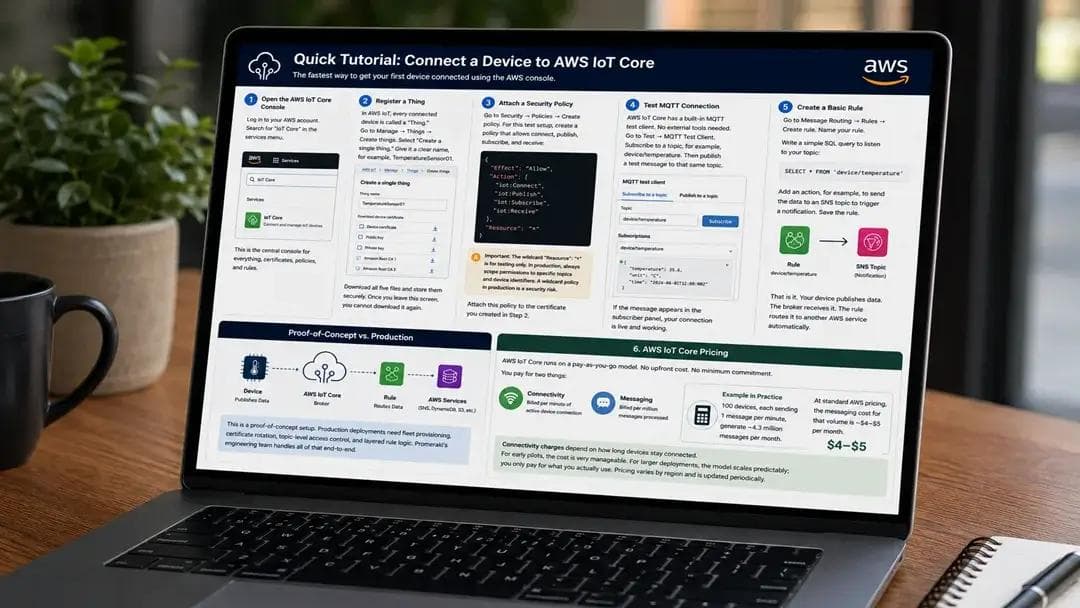
Here is the fastest way to get your first device connected to AWS IoT Core. This walkthrough uses the AWS console. No additional tools are required.
Step 1: Open the AWS IoT Core Console
Log in to your AWS account. Search for "IoT Core" in the services menu.
This is the central console for everything, certificates, policies, and rules.
Step 2: Register a Thing
In AWS IoT, every connected device is called a "Thing."
Go to Manage → Things → Create Things. Select "Create a single thing." Give it a clear name, for example, TemperatureSensor01.
Download all five files: device certificate, public key, private key, root CA 1, and root CA 3. Store them securely. Once you leave this screen, you cannot download it again.
Step 3: Attach a Security Policy
Go to Security → Policies → Create Policy.
For this test setup, create a policy that allows connect, publish, subscribe, and receive:
Json
{
"Effect": "Allow",
"Action": [
"iot:Connect",
"iot:Publish",
"iot:Subscribe",
"iot:Receive"
],
"Resource": "*"
}
Important: The wildcard "Resource": "*" is for testing only. In production, always scope permissions to specific topics and device identifiers. A wildcard policy in production is a security risk.
Attach this policy to the certificate you created in Step 2.
Step 4: Test MQTT Connection
AWS IoT Core has a built-in MQTT test client. No external tools needed.
Go to Test → MQTT Test Client. Subscribe to a topic, for example, device/temperature. Then publish a test message to that same topic.
If the message appears in the subscriber panel, your connection is live and working.
Step 5: Create a Basic Rule
Go to Message Routing → Rules → Create Rule. Name your rules.
Write a simple SQL query to listen to your topic:
sql
SELECT * FROM 'device/temperature'
Add an action, for example, to send the data to an SNS topic to trigger a notification. Save the rule.
That is it. Your device publishes data. The broker receives it. The rule routes it to another AWS service automatically.
This is a proof-of-concept setup. Production deployments need fleet provisioning, certificate rotation, topic-level access control, and layered rule logic. Promeraki's engineering team handles all of that end-to-end.
AWS IoT Core Pricing
AWS IoT Core runs on a pay-as-you-go model. No upfront cost. No minimum commitment.
You pay for two things:
- Connectivity - billed per minute of active device connection
- Messaging - billed per million messages processed
Here is what that looks like in practice.
One hundred devices, each sending one message per minute, generate roughly 4.3 million messages per month. At standard AWS pricing, the messaging cost for that volume is approximately $4–5 per month. Connectivity charges depend on how long devices stay connected.
For early pilots, the cost is very manageable. For larger deployments, the model scales predictably; you only pay for what you actually use. Pricing varies by region and is updated periodically.
Conclusion
AWS IoT Core handles the hard parts of IoT infrastructure, secure device authentication, reliable message routing, fleet management, and scaling, so your team does not have to.
It works for small pilots and large enterprise deployments equally well. It connects cleanly into the broader AWS ecosystem. And it gives teams full control over how devices communicate, where data flows, and how the system responds.
If you are building connected products or industrial IoT systems, AWS IoT Core removes the infrastructure complexity that typically slows teams down. It scales with your deployment as device counts grow; no architecture overhauls are required.
At Promeraki, we build production IoT systems on platforms like AWS IoT Core from device firmware and edge processing to cloud architecture and analytics. If you are evaluating infrastructure for your IoT product or operation, talk to our team to find the right stack for your use case.
Not Sure Which IoT Stack Is Right for You?
Every IoT product has different requirements. Our engineers help you choose the right architecture and build it the right way from day one.